
Template Reference (in-app)
When you’re editing a precedent in Word, the question is always the same: what exactly is the variable called? Template Reference is the in-app answer — a read-only browser over every installed template pack, with the form preview, the precedent list, and a copyable {{ variable }} lookup.
Open it from File → Template Reference…. Pick a pack in the sidebar; the detail pane shows three views:
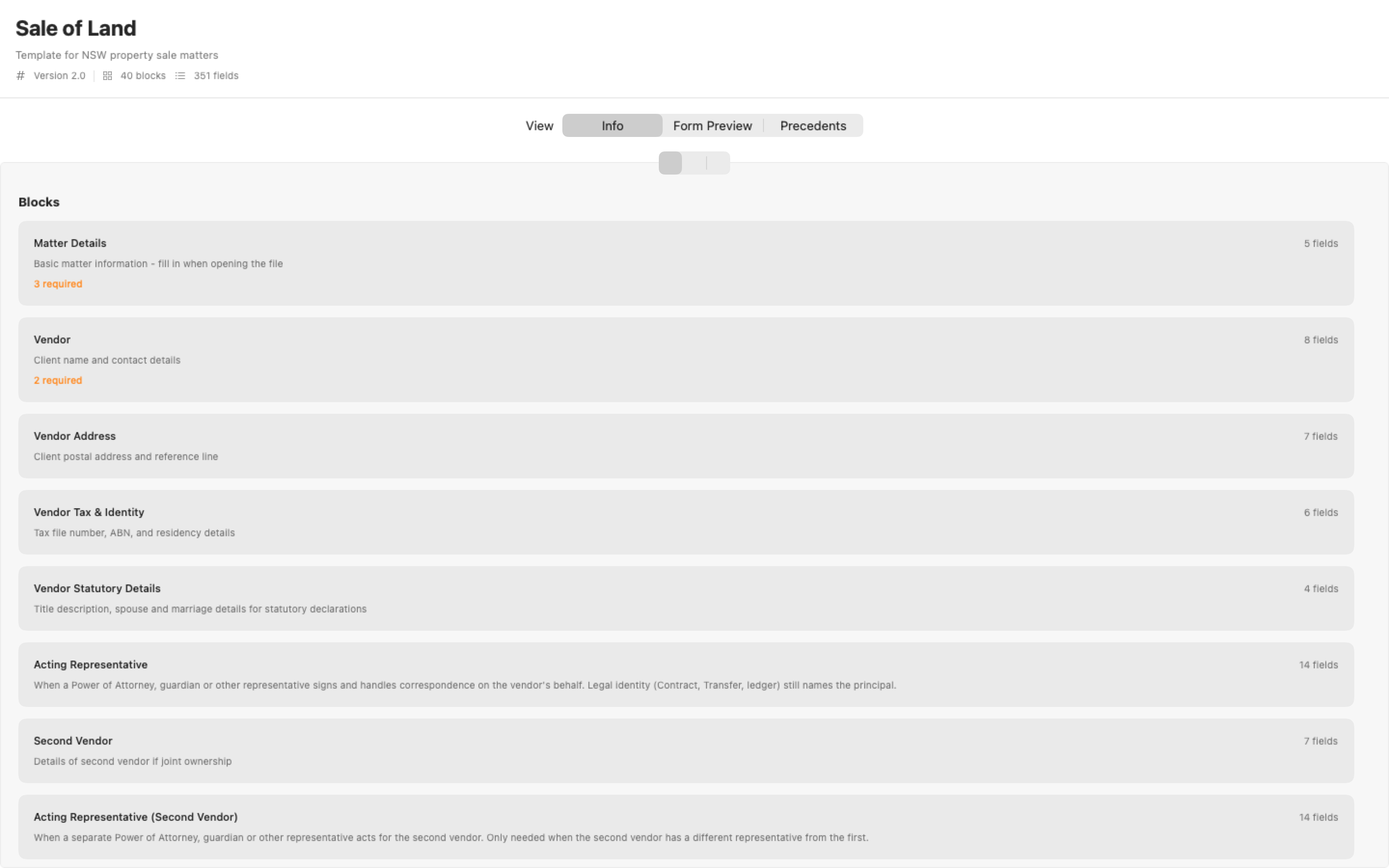
- Info — the pack at a glance: version, every block with its field count and required-field badges, and each field’s key. Click a key to copy it ready to paste into a
.docxas{{ vendor.surname }}. - Form Preview — the matter form exactly as the pack renders it in a matter workspace, so you can check conditional visibility and computed fields without creating a throwaway matter.
- Precedents — the pack’s precedent files as the document wizard will list them.
When to reach for it
Section titled “When to reach for it”- Writing or fixing a precedent — copy the exact dot-notation key instead of guessing. A misspelt variable renders blank; this lookup is the cure. (See Template Conversion for the legacy PascalCase placeholders that must be renamed.)
- Checking why a field isn’t appearing — the Form Preview honours
visible_whenconditions, so you can toggle the controlling field and watch the dependent block appear. - Auditing a pack after edits — block and field counts on the Info view make a quick sanity check that your
matter.jsondecoded fully (a malformed block silently vanishes).
Related
Section titled “Related”- Template Fields — every field type and property in
matter.json - Field Reference (Codex) — the canonical key naming conventions
- Creating Templates — the minimal pack, end to end